


Fastcase has recently merged with vLex and Clio, and is now being integrated into the vLex platform. Social Law Library members may have recently noticed that you can no longer opt out of the new interface by default when accessing it from our database page.
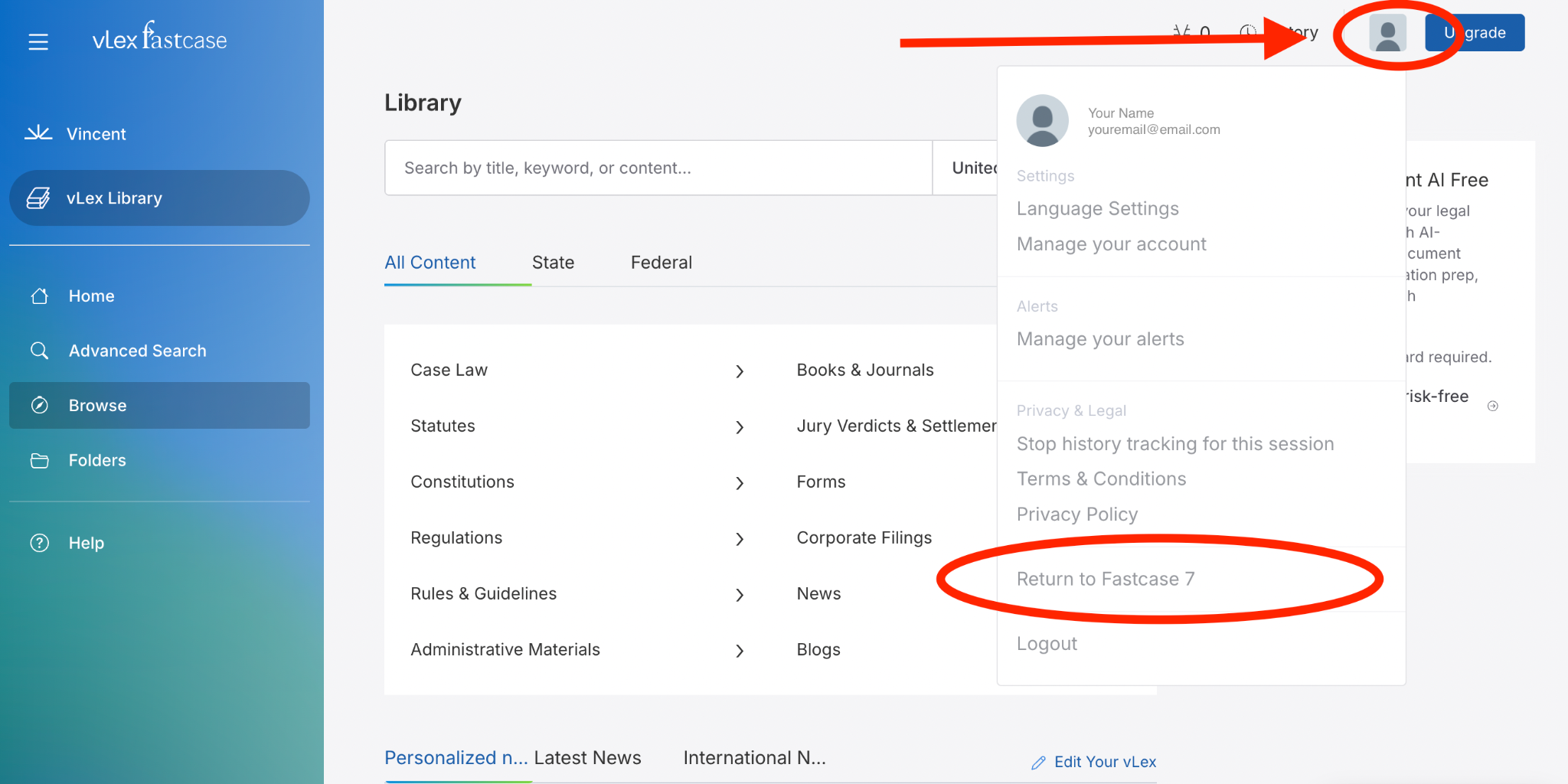
If you’d like to return the old Fastcase interface, you can do so with just a few clicks. In the top right corner of the vLex Fastcase website, click on the profile icon. A menu will drop down with your preferences. At the bottom, just above the Logout option, you can click on “Return to Fastcase 7”:
If you’d like to learn more about using the new interface, we’ve highlighted a few key areas to get you started.
Case Lookup:
To pull up a case, type in the citation in the search bar but DO NOT hit enter - after a few seconds, suggestions will pop up under the search bar - your citation should appear here, but similar ones may pop up as well (e.g. 421 Mass. 1 may also show 421 Mass. 17 and others with similar numbering). Click on the citation that you are looking to read or download.
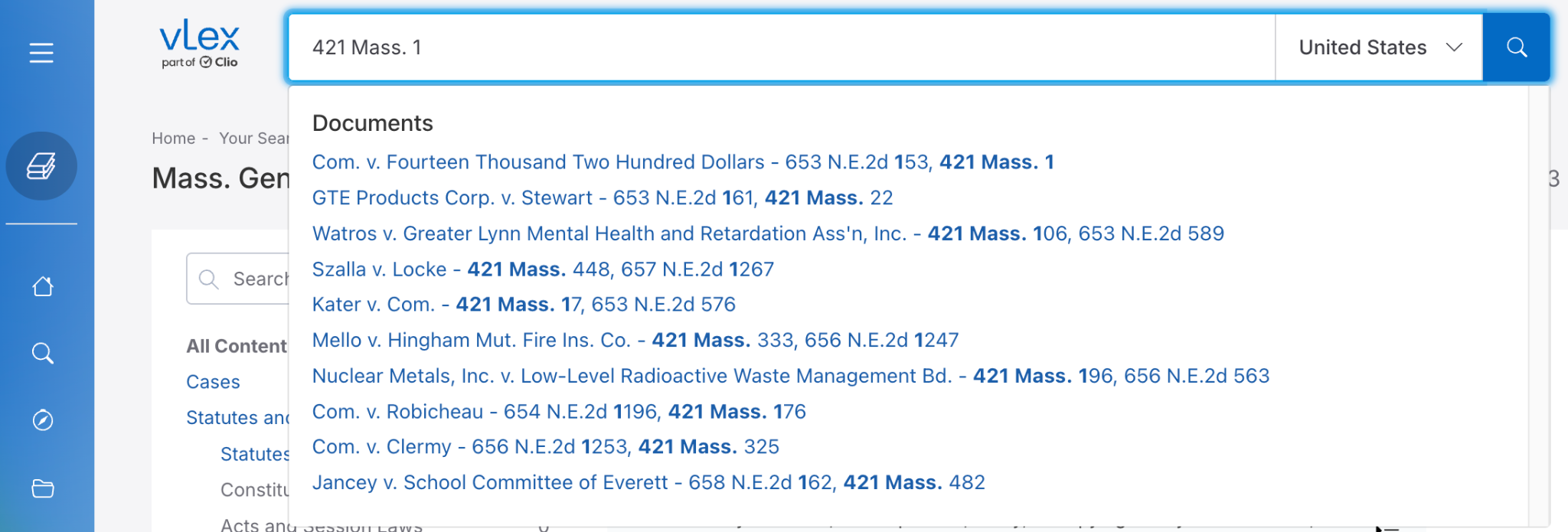
If you hit enter by accident, the citation will be run as a search. Your citation should still be towards the top of the page, but it will also show cases citing it in the search results.
Pulling Statutes:
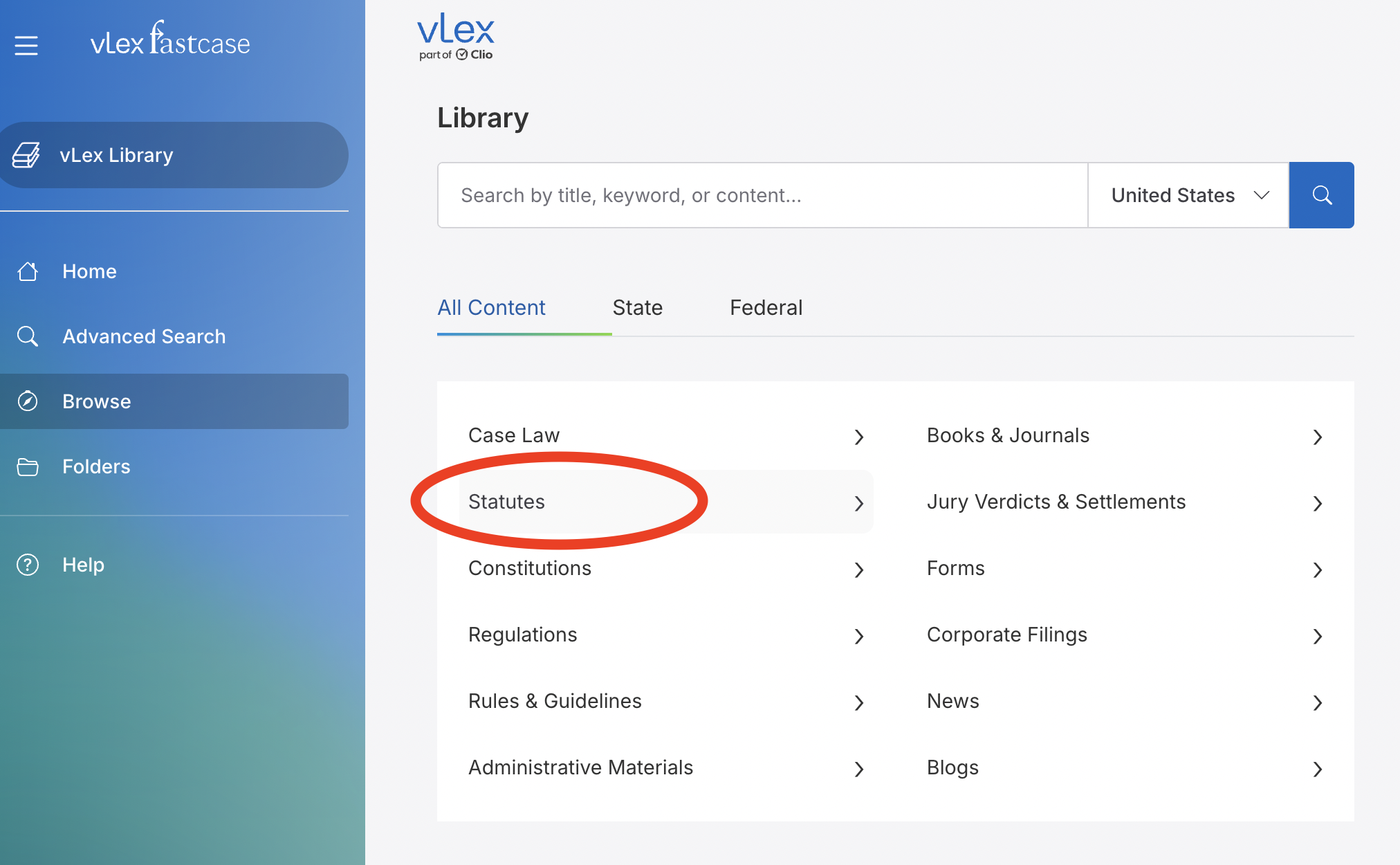
The easiest way to access statutes is by browsing. Click on Statutes from the main page and keep navigating until you have the state or federal statute that you need:
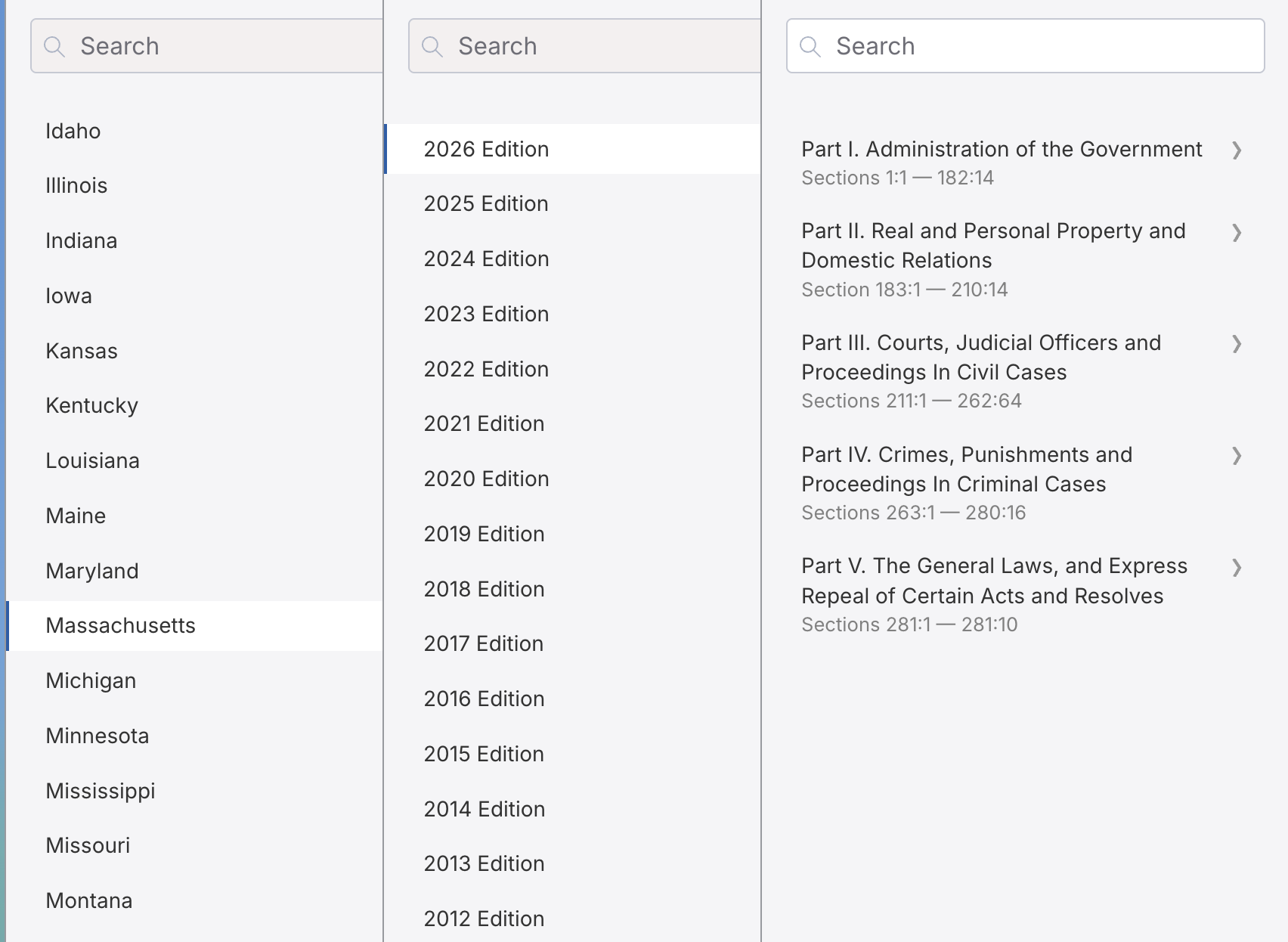
From this page you can run a search across the latest edition, or click further to browse to the specific Chapter and section that you need. Be sure to use the latest edition if you are looking for current statutes.
You can also enter the statute citation by number, but it is very precise about the format. The format for the General Laws is:
Mass. Gen. Laws ch. 93A, § 1
The database is more forgiving for Federal statutes. For example: 42 USC 1983 will work.
Jurisdiction:
vLex Fastcase is an international platform, but it will default to the United States as the jurisdiction for Social Law Members. (Note: The Reference Staff has access to international and foreign material on our vLex logins and you can contact us at [email protected] or (617) 226-1520 if you need to access it.)
To narrow the jurisdiction to specific states or Federal Courts, click the arrow next to it on the Search bar:
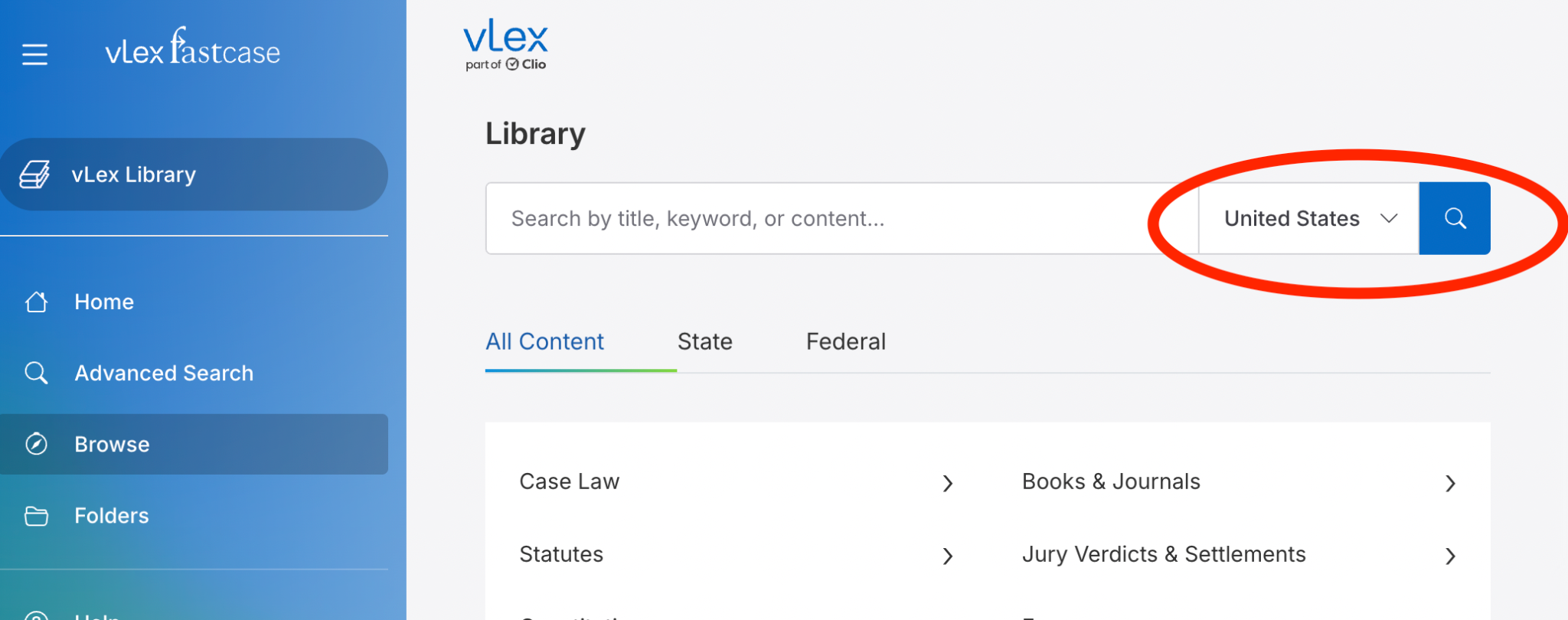
Select the state(s) that you would like to search - an option to search “Related Federal” will pop up as well, allowing you to search Federal District and Circuit Courts associated with your state, as well as the U.S. Supreme Court. If you would like to search just Federal Cases, continue to scroll down.
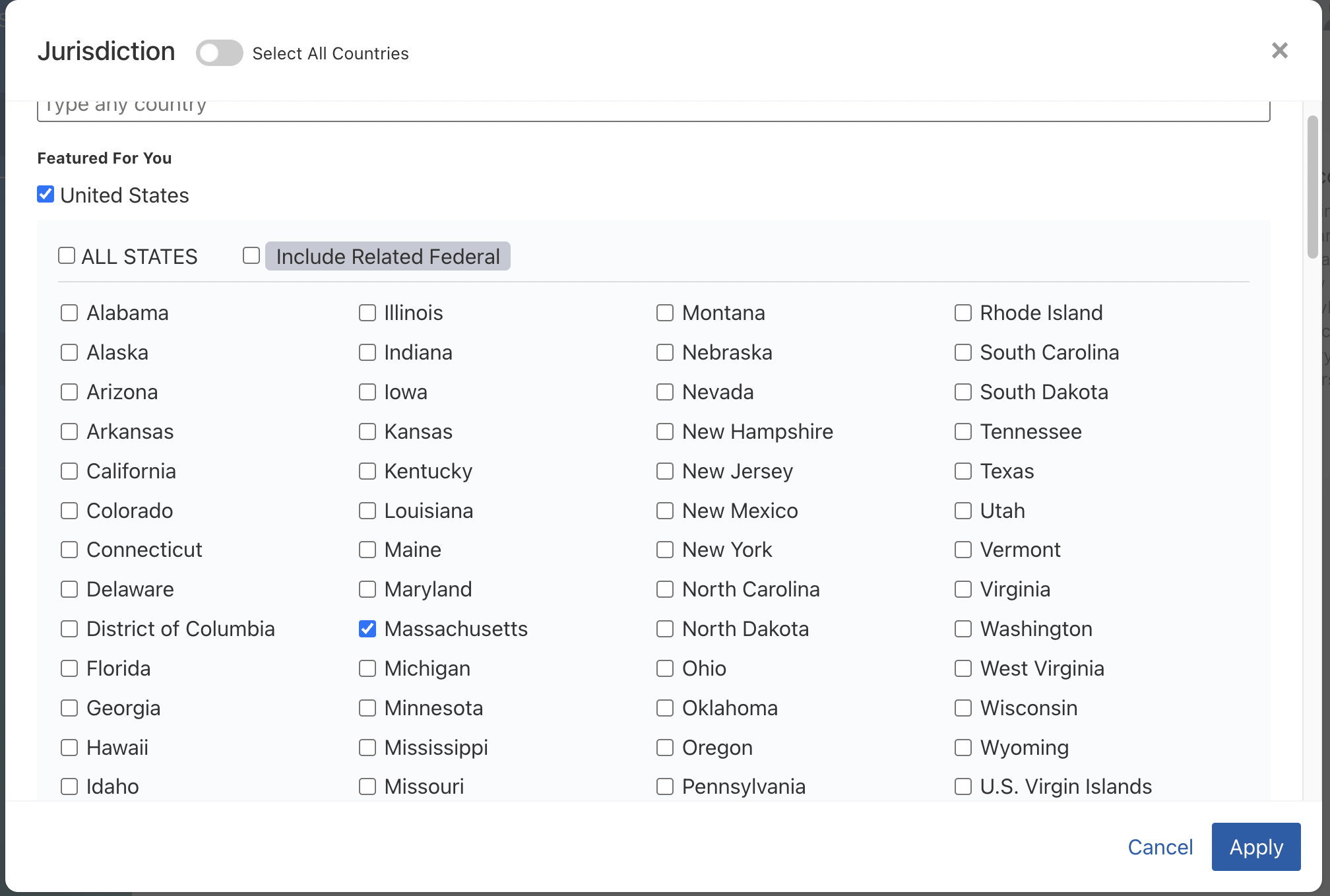
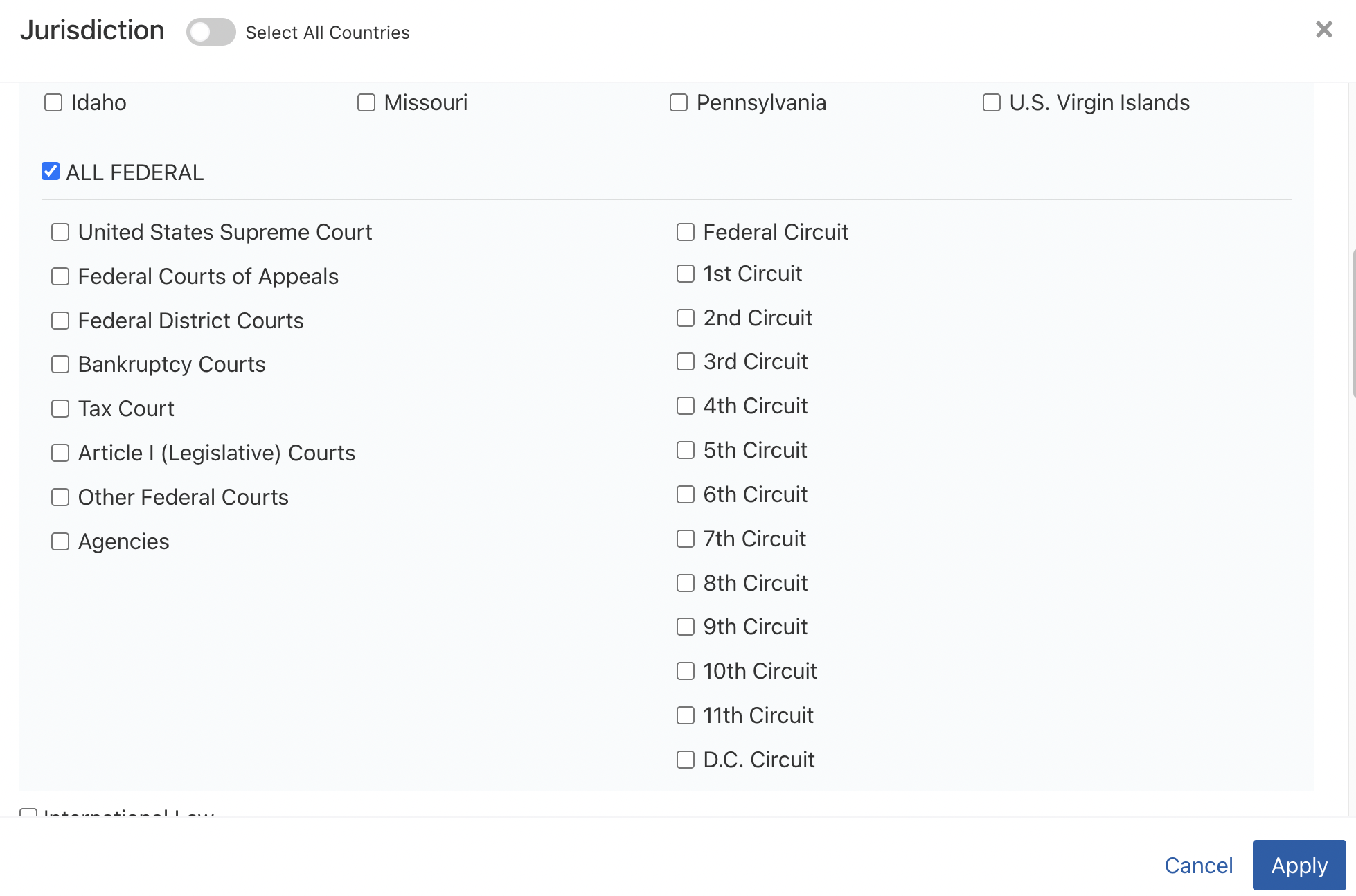
If you want to only search Federal Case law, be sure to unclick “ALL STATES” first. Additionally, while Fastcase does have access to District Court cases, it does not allow you to search by District Court from this search page. You can narrow it down further on the results page.
After running your search, if you need to narrow the jurisdiction further, scroll down until more options appear on the filter bar on the left. If you ran a search in the 1st Circuit and would like to only see D.Mass cases, you can click on the Court search and type in Massachusetts:
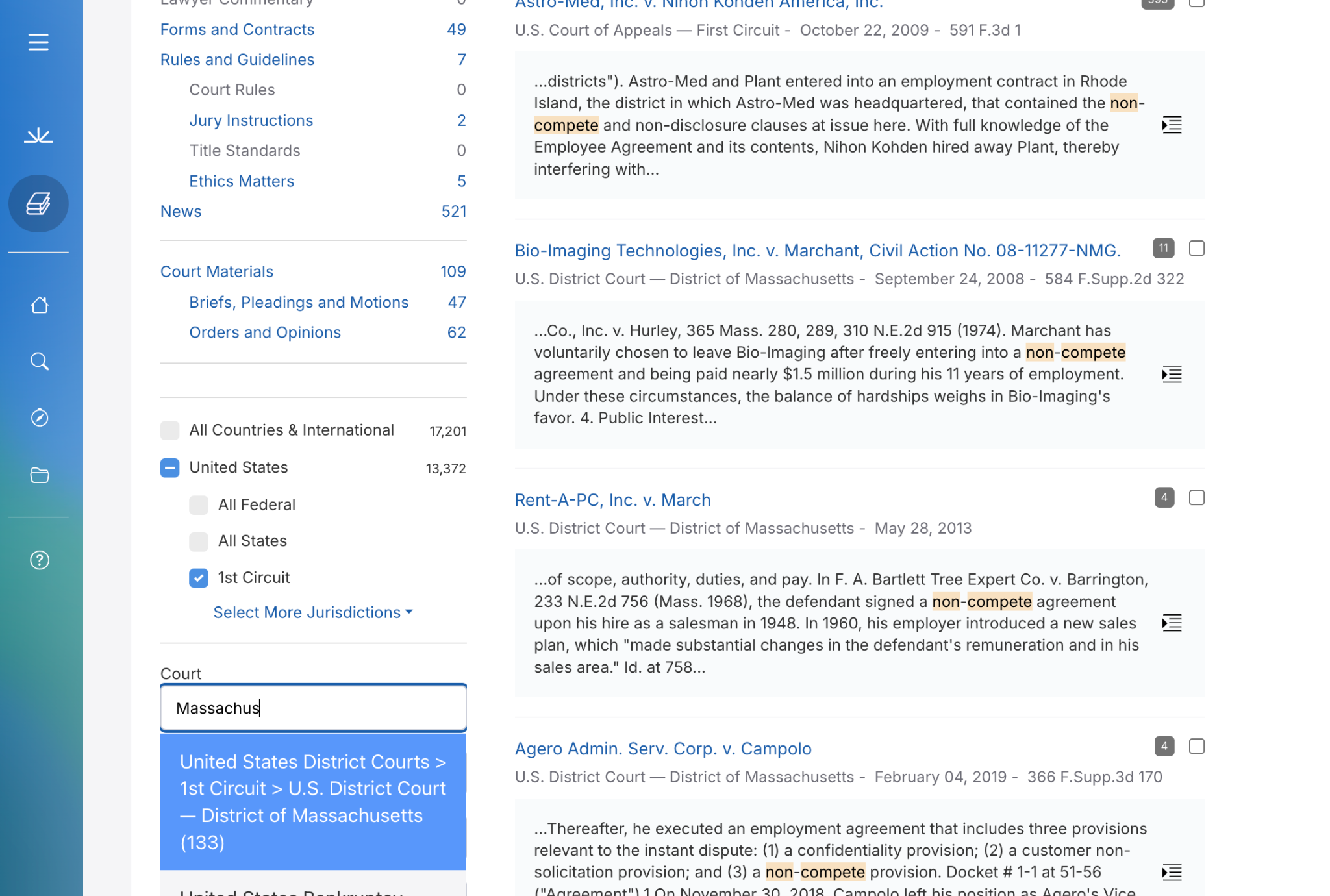
If you are searching Massachusetts state opinions and want to see only SJC decisions in the results, this same option would be where you would type in or click on the Court of your preference to narrow the search further.
Search Terms and Connectors:
Boolean operators are similar to, but not the exact same as they used to be. Here is a list of the most common operators. Boolean operators must be typed in ALL CAPITAL LETTERS in order to work:
|
Operator |
Purpose |
Example |
|
AND |
Narrows your search. Finds documents containing both terms. |
contract AND remedy |
|
OR
|
Broadens your search. Finds documents containing either term or both.
|
breach OR non-performance |
|
AND NOT |
Excludes terms. Finds documents with the first term but not the second. |
obligation AND NOT discharge |
|
"exact phrase" |
Finds an exact phrase. Searches for the words together in that specific order. |
"liquidated damages" |
|
* (Wildcard) |
Finds variations of a word. Searches for all words that start with the root term. |
negoti* (finds negotiate, negotiation, etc.) |
|
[ ] (Proximity) |
Finds words near each other. Searches for terms within a default proximity of 30 words. |
[damages compensation]
|
|
[ ]/N (Custom Proximity) |
Specifies proximity. Finds terms within a specific number (N) of words of each other. |
[negotiation performance]/5 |
|
( ) (Grouping) |
Combines operators. Groups parts of a query to be processed first, for complex searches. |
contract AND (negotiation OR performance) |
VLex has additional FAQs on their website. For example, to figure out if case law is still good, you can read their tutorial here:
How to Analyze Case Authority and Precedent | vLex Library Knowledge Base